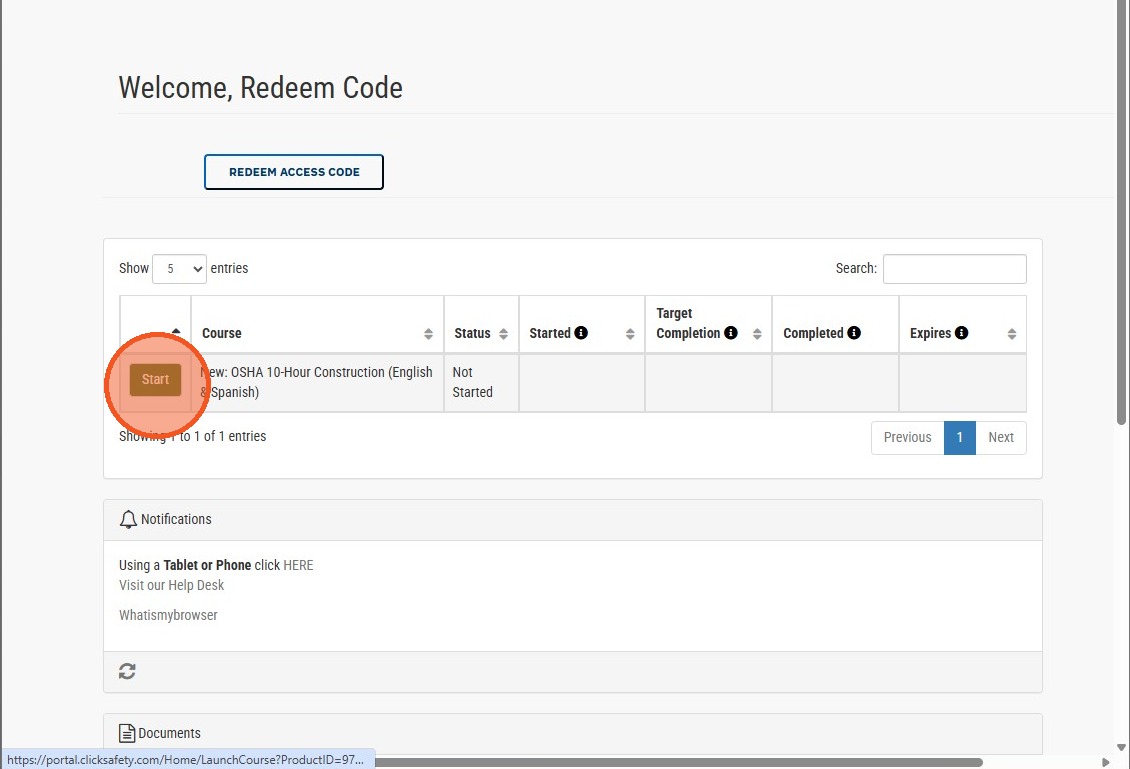
How to Register and Redeem a Course Access Code
Follow this guide to successfully create your account and apply your access code to unlock your learning materials. These steps will help you navigate the registration process and begin your course content without any technical issues.
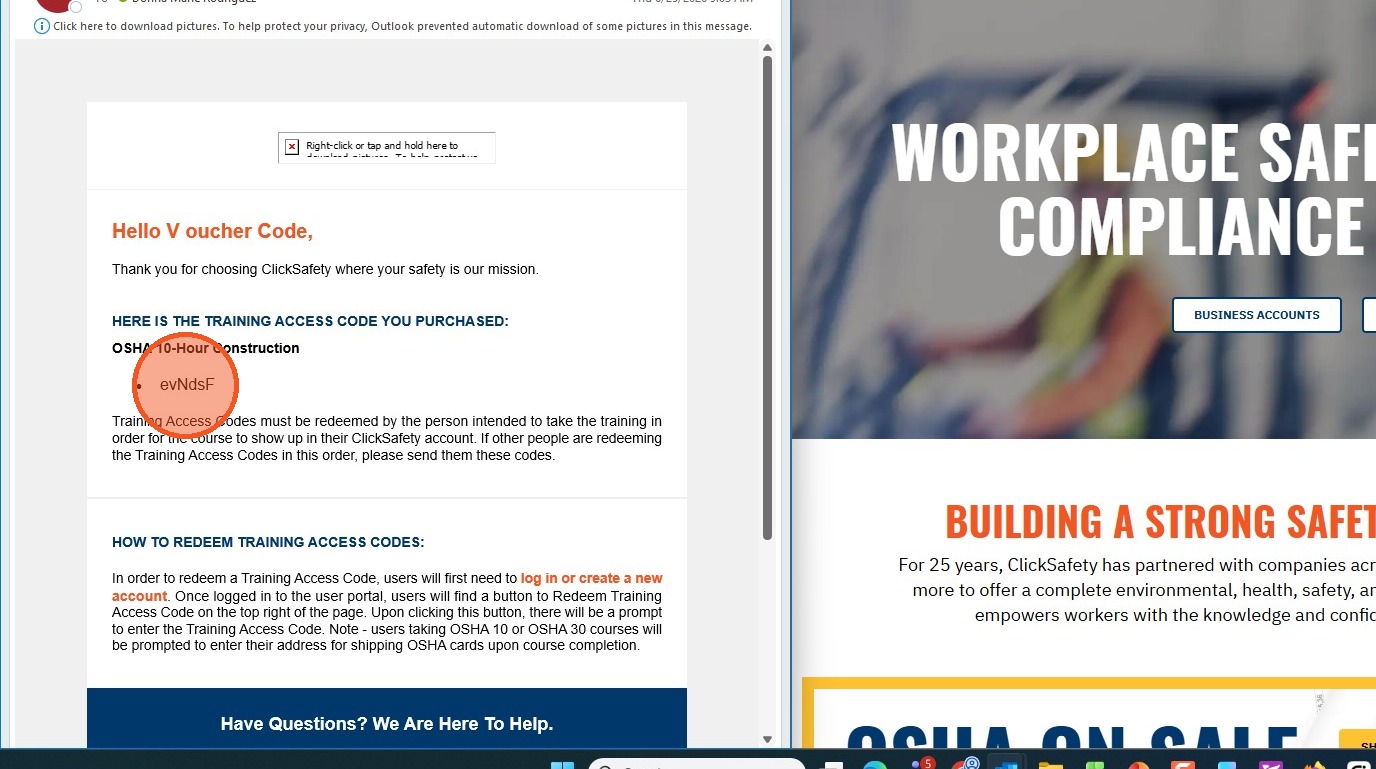
1. Your Access Code will be provided to you by course purchaser
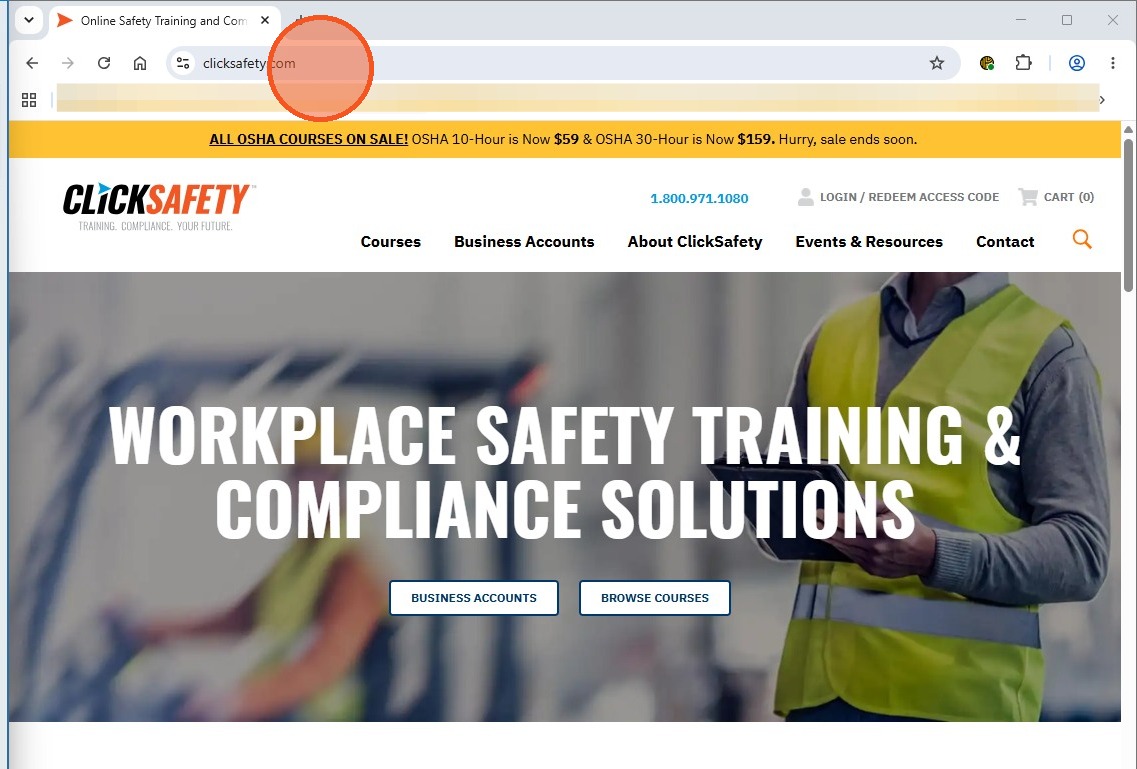
2. Navigate to www.clicksafety.com
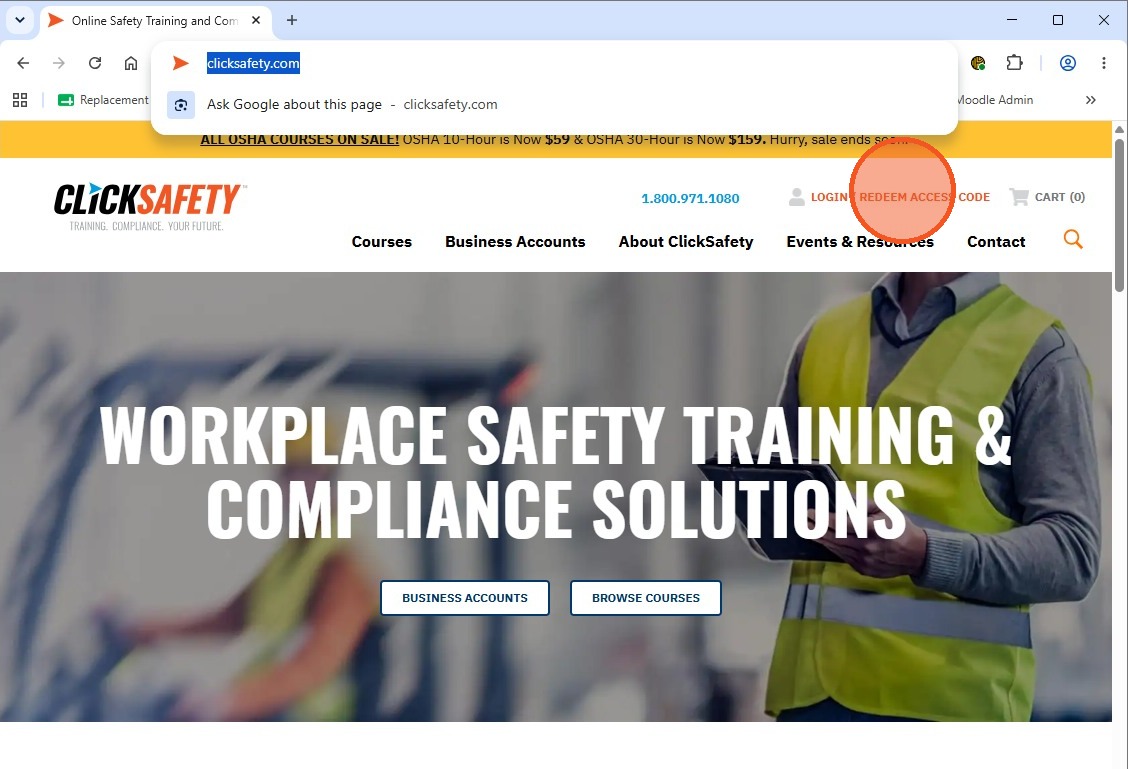
3. Click "LOGIN / REDEEM ACCESS CODE"
4. If you are a first time user you will need to crate and account
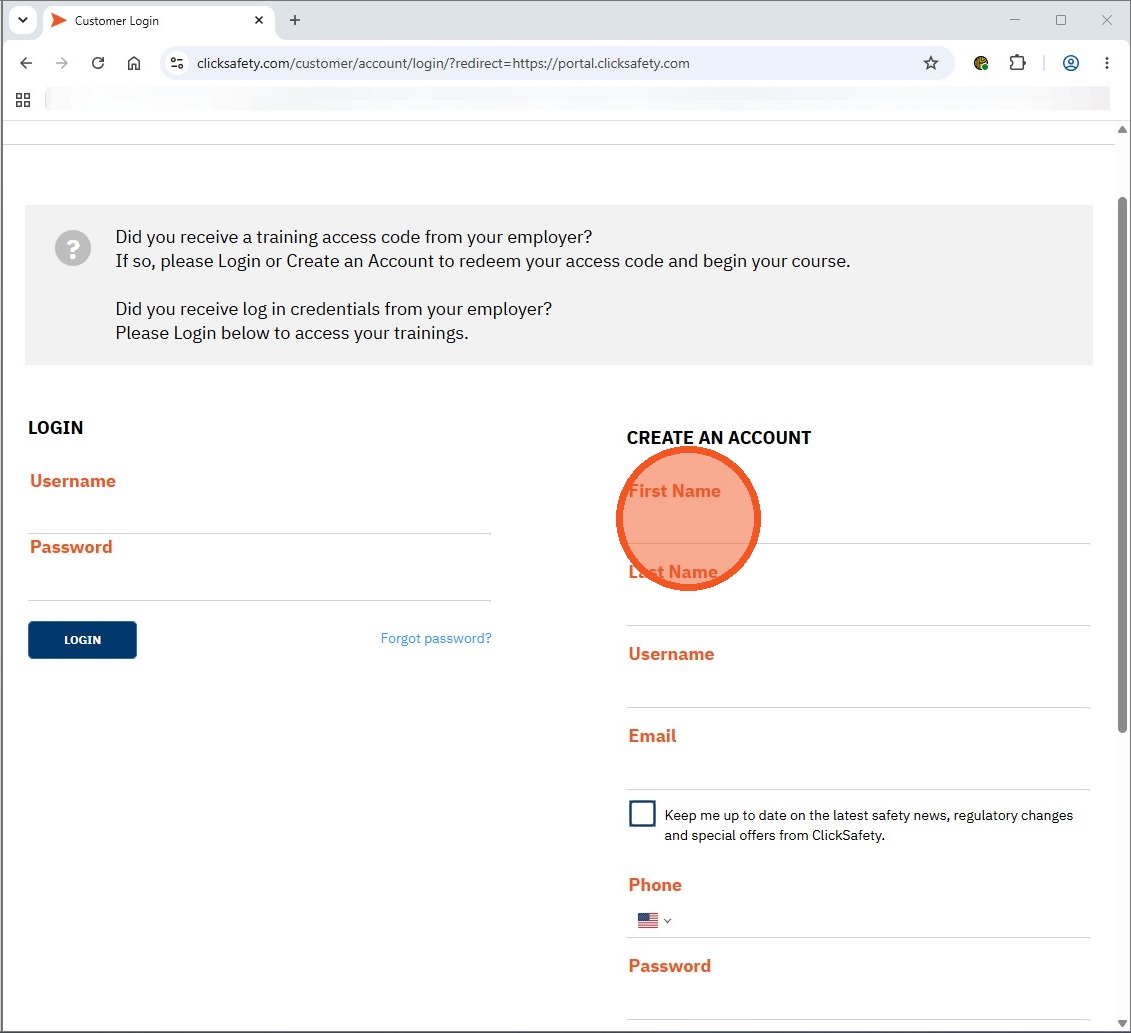
5. Once all mandatory information has been completed Click on CREATE AN ACCOUNT
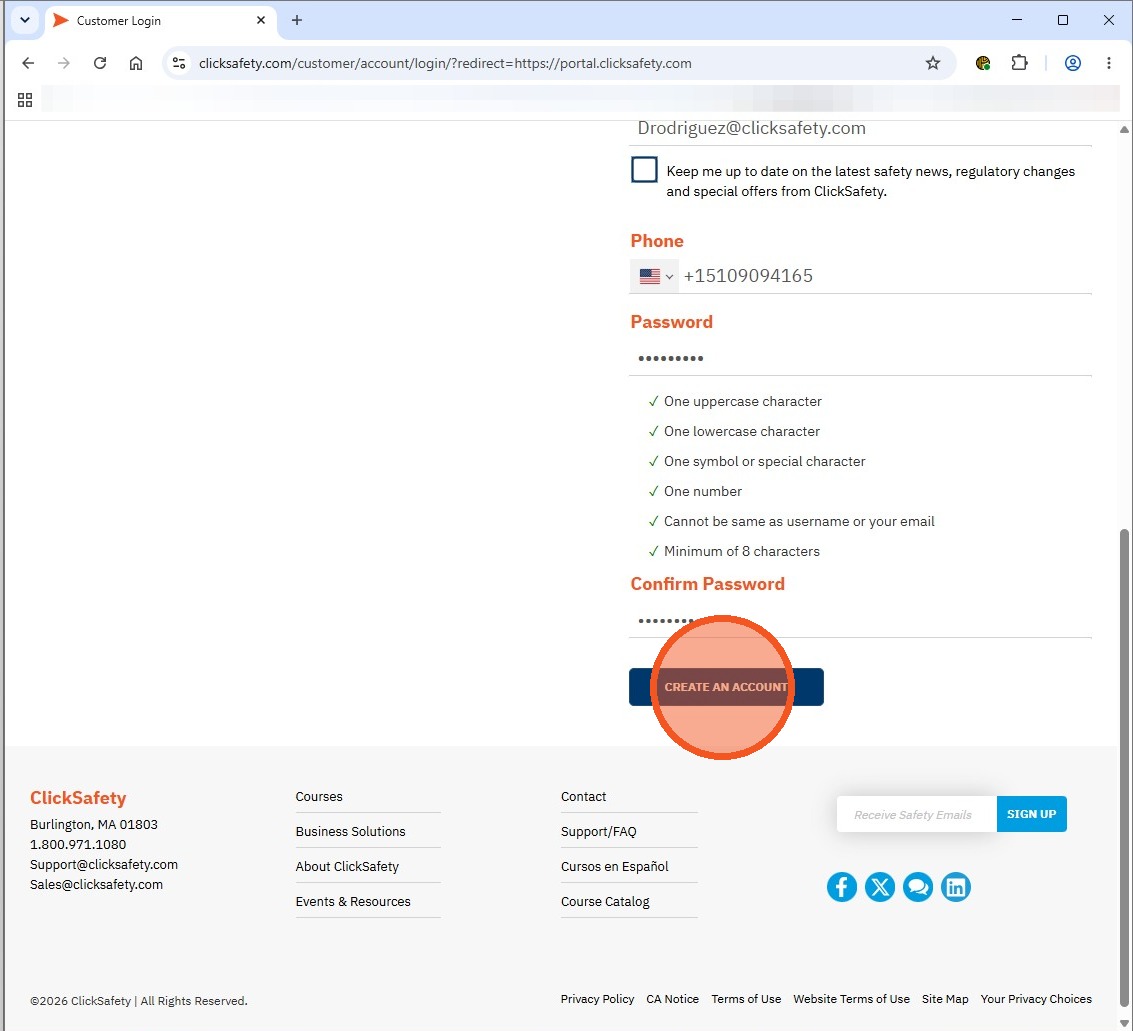
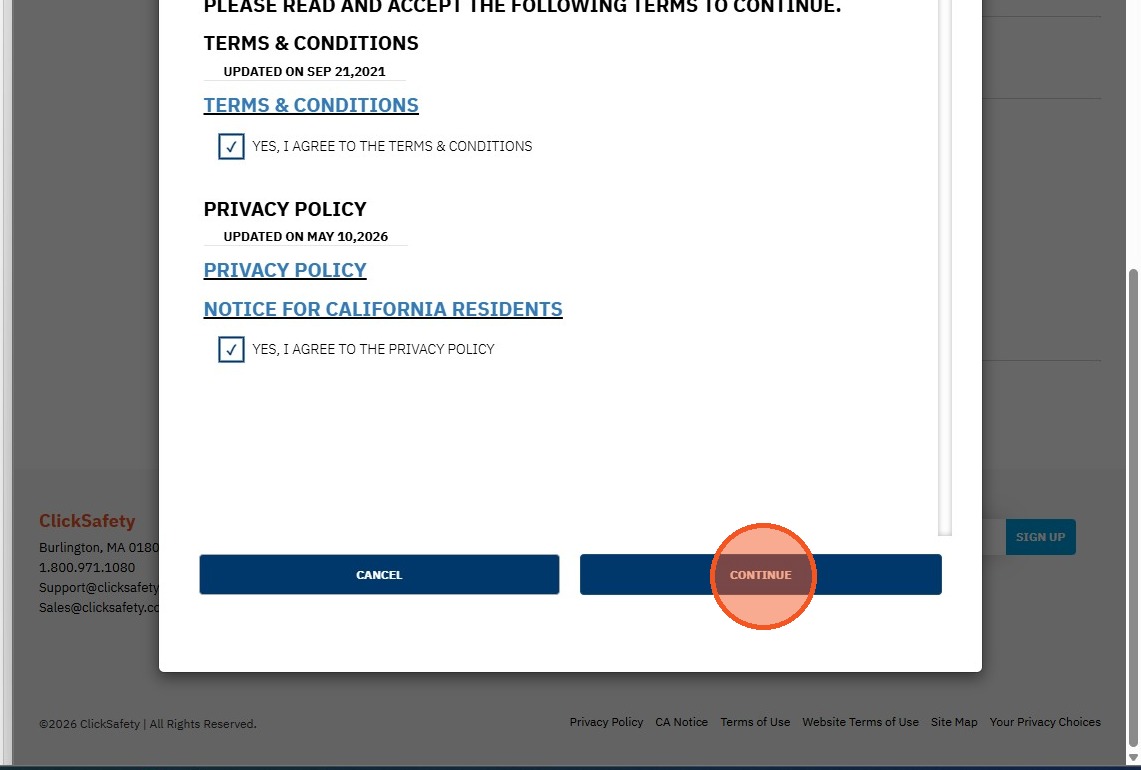
6. Click "YES, I AGREE TO THE TERMS & CONDITIONS"
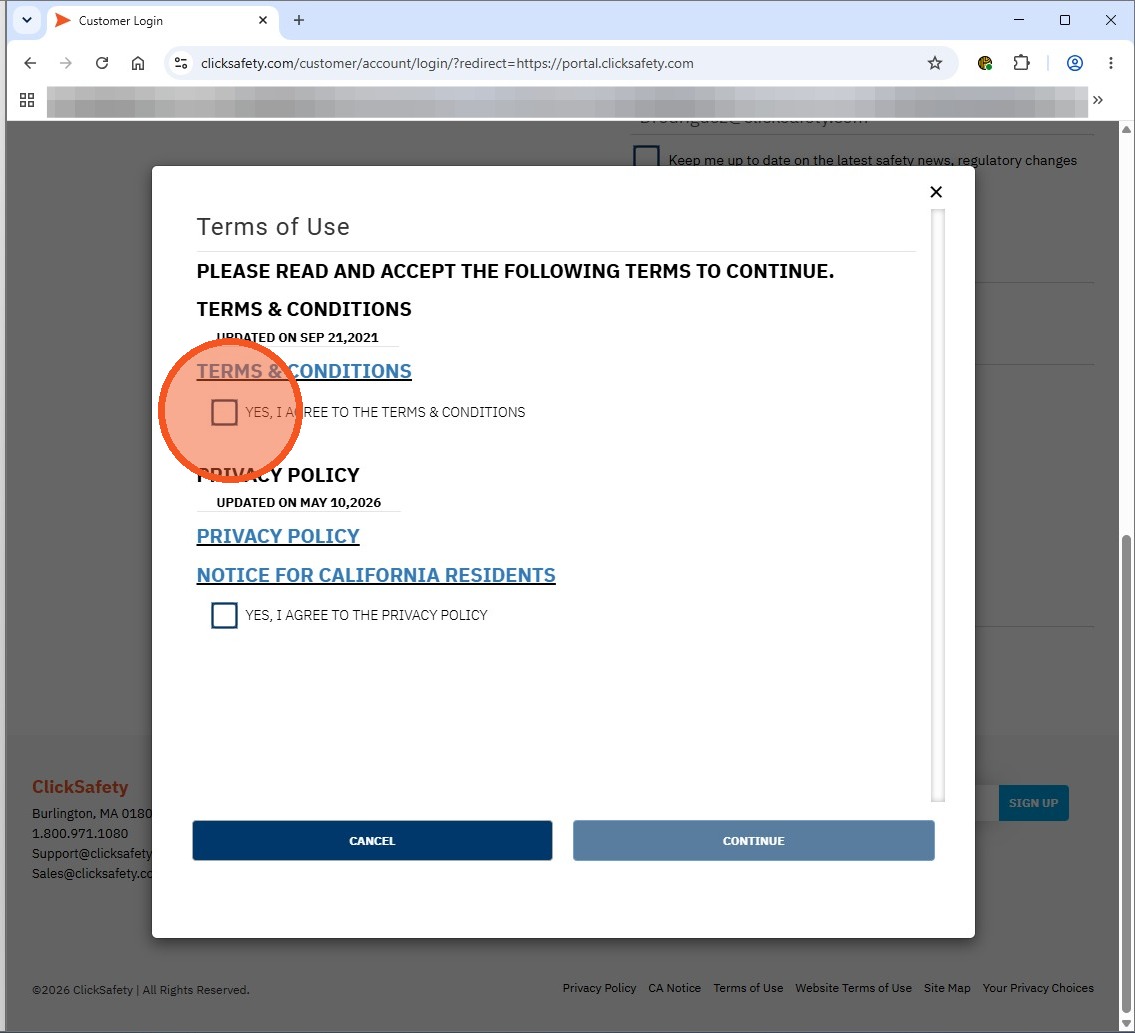
7. Click "YES, I AGREE TO THE PRIVACY POLICY"
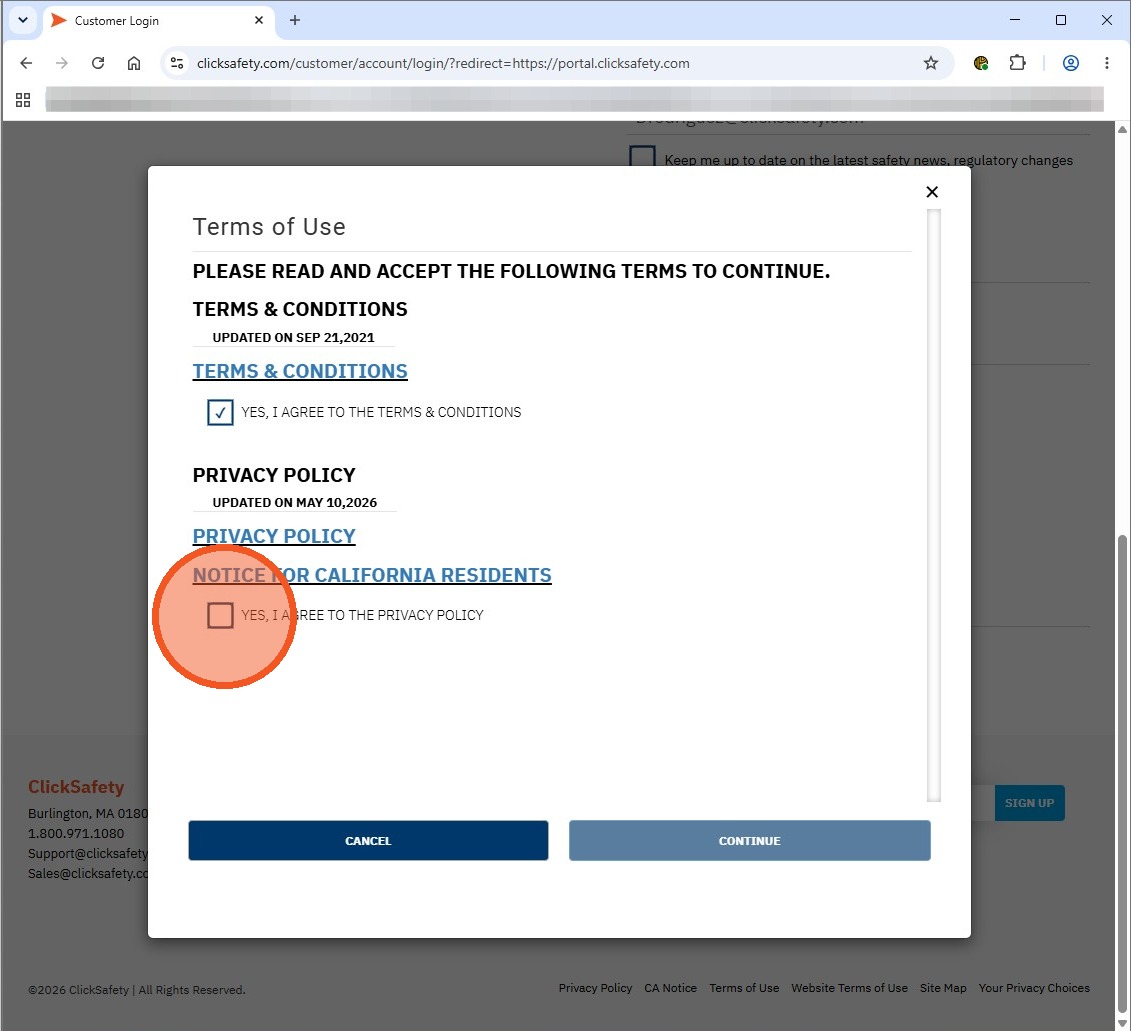
8. Click "CONTINUE"
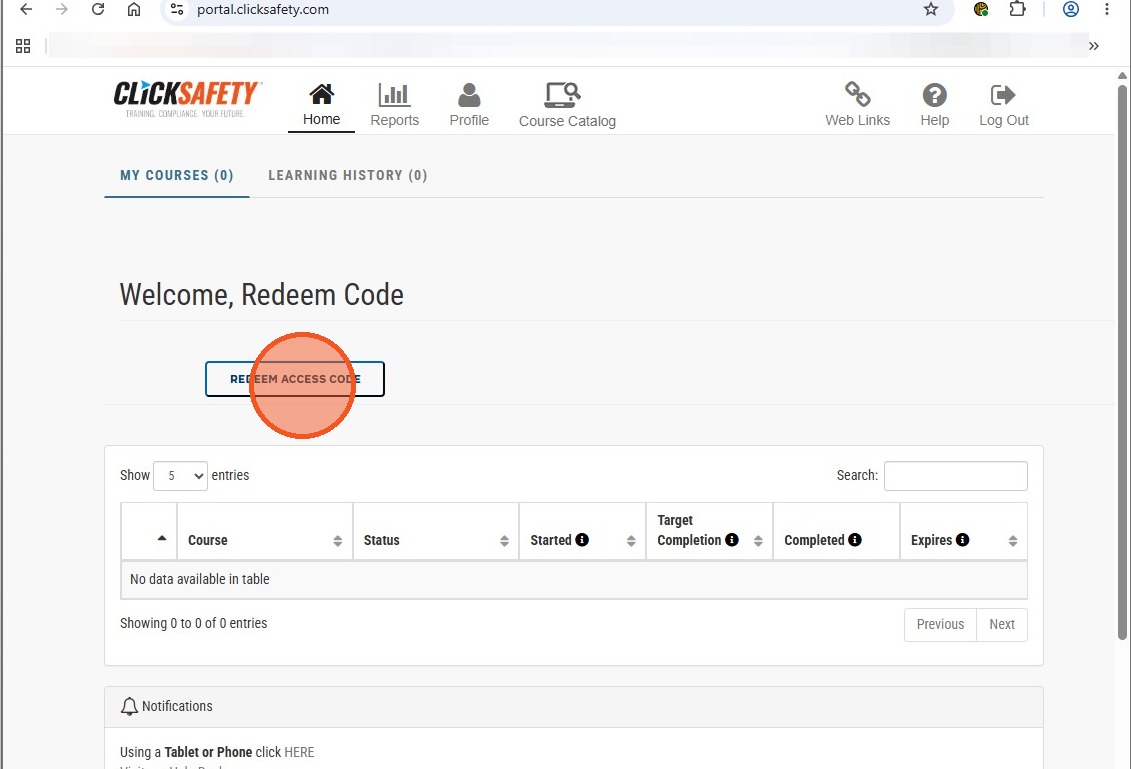
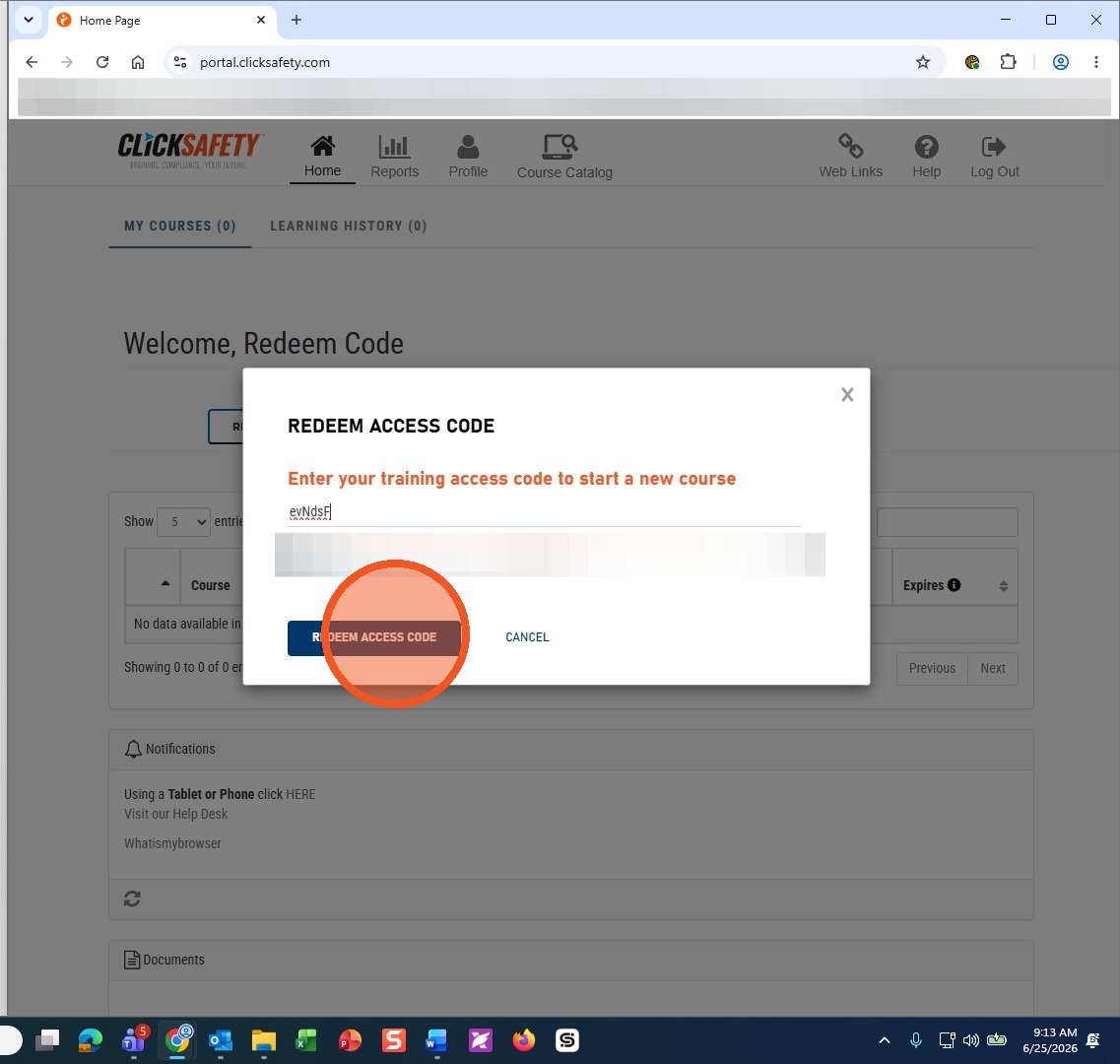
9. Click "REDEEM ACCESS CODE"
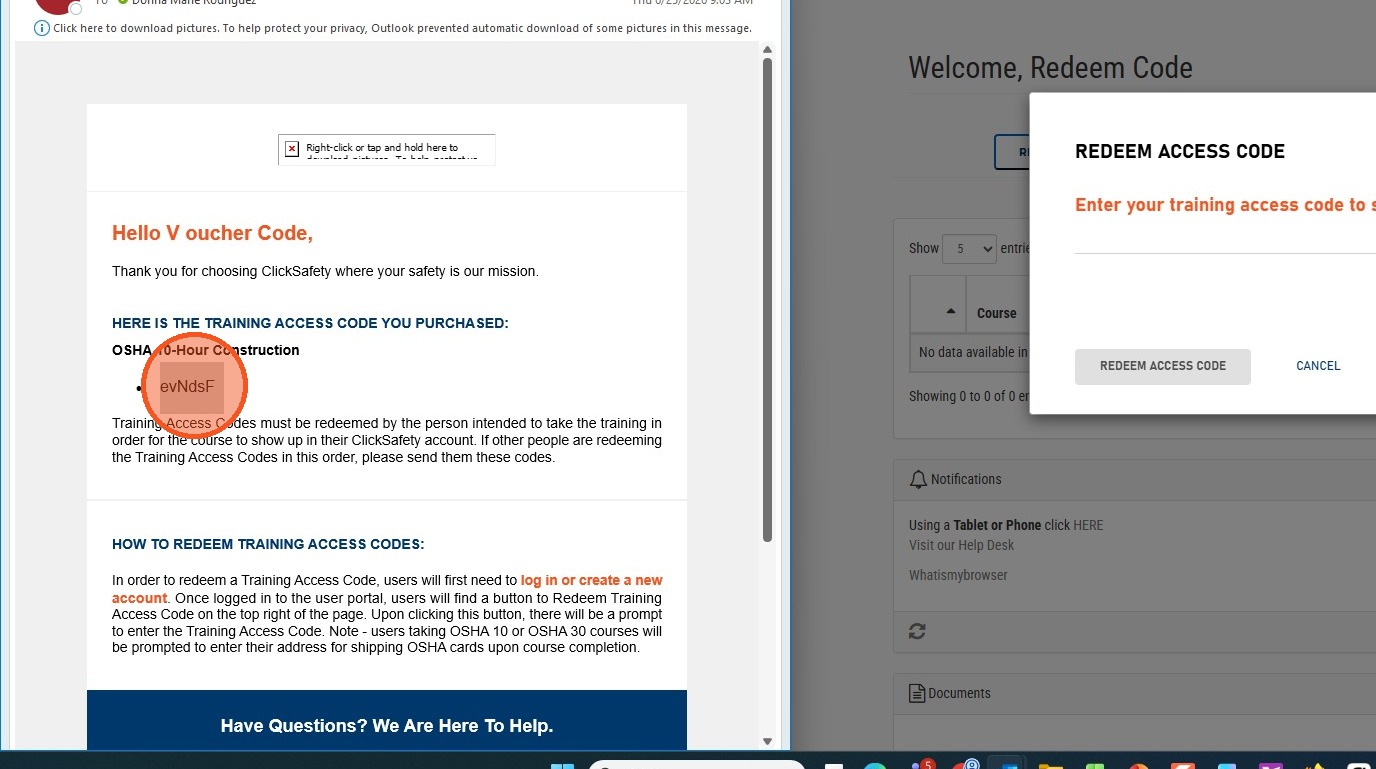
10. Locate your "Access Code"
11. Type in your access code
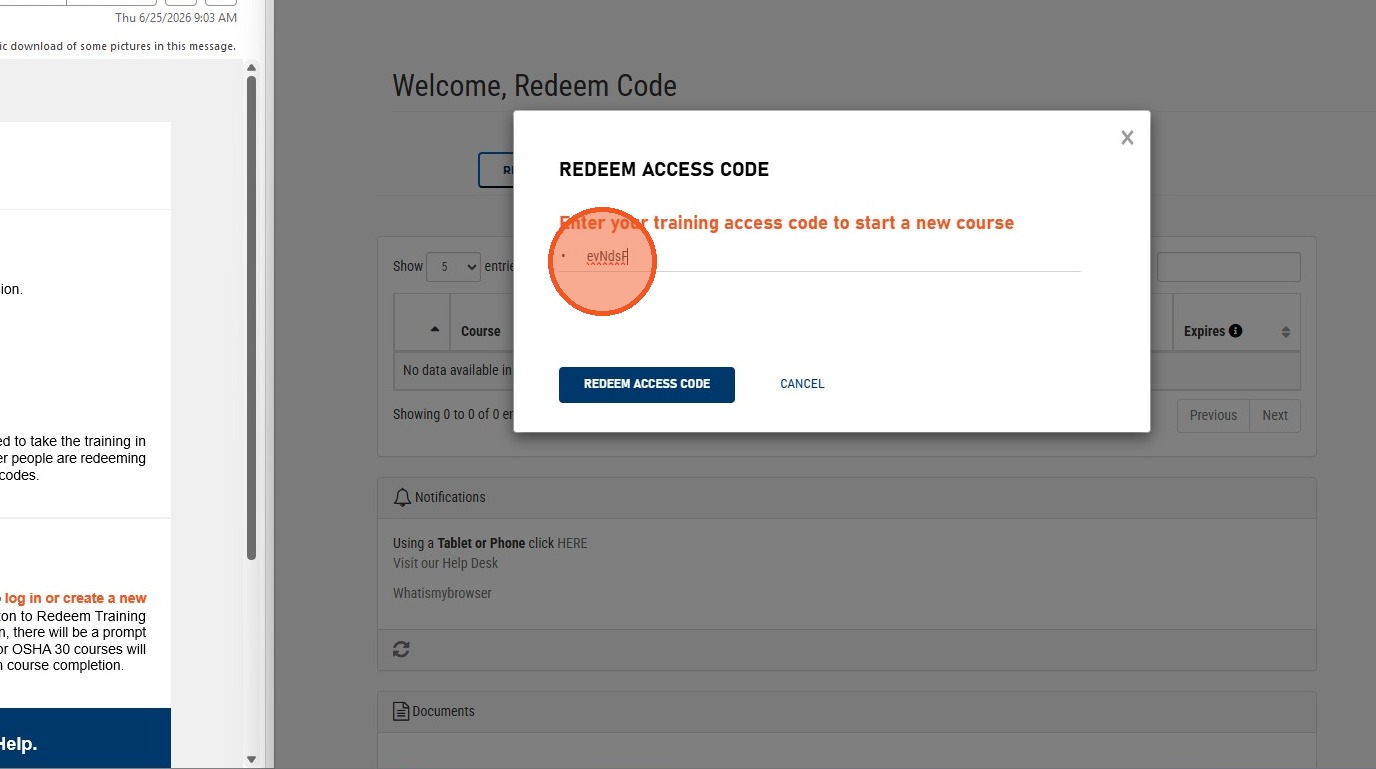
12. Click "REDEEM ACCESS CODE"
13. You may now click on "Start" to begin your purchased training course